
Members Admin
Committee Meetings
#29pv9qy
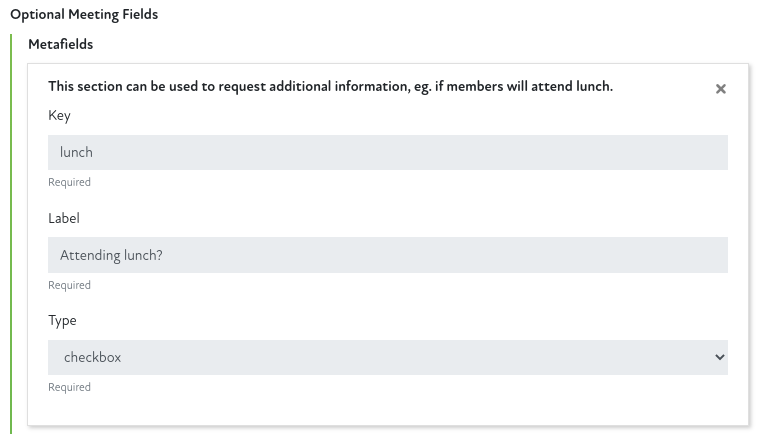
- The optional metafields logic for meetings has been updated, icon badges will now be shown against a member if one or more of the following metafield "keys" are used when you create the meeting
- The icons will be displayed in the secondary colour used in your configuration
Virtual Icon
If a metafield "Key" of virtual or virtually is used then a laptop icon will be displayed against the member if they tick this option against a meeting.
In-Person Icon
If a metafield "Key" of person or inperson is used then a group icon will be displayed against the member if they tick this option against a meeting.
Knife & Fork Icon
If a metafield "Key" of meal, lunch, dinner or refreshments is used then a knife and fork icon will be displayed against the member if they tick this option against a meeting.
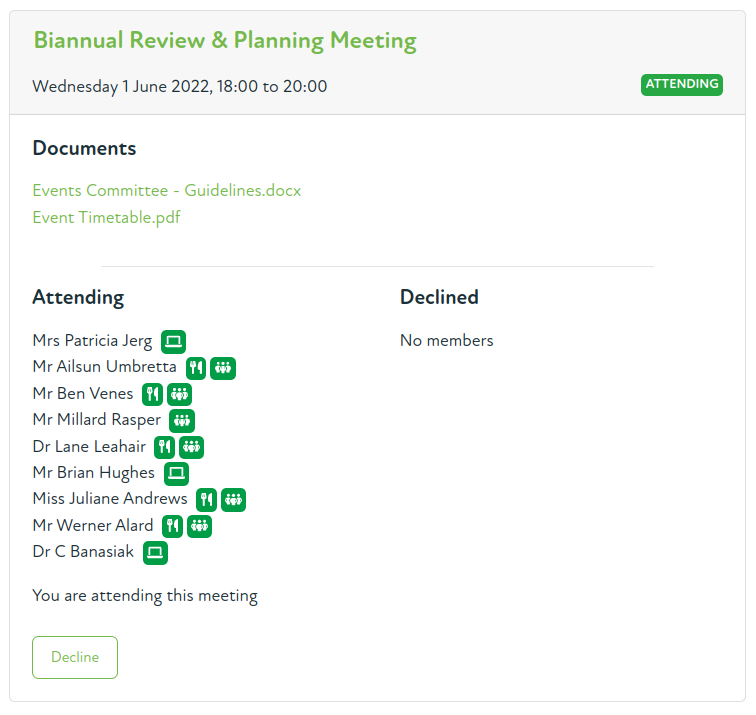
An example of a meeting with badges for members responses is shown below
Members Area
Committees
#29pv9qy
- As above, icons are displayed against a member if they have ticked specific metafields for a meeting.
Events
#1v1hez6
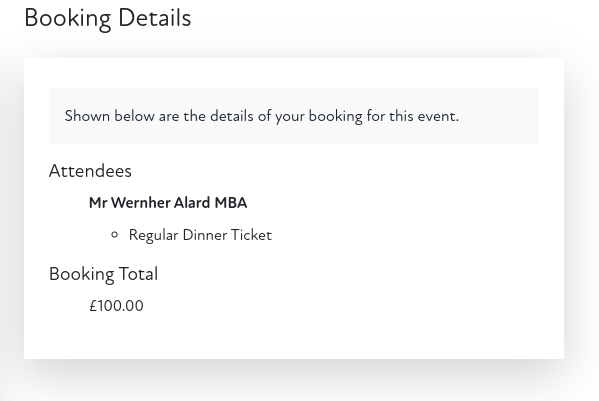
- Past event booking details can now be viewed on an event.
- Previously if a member viewed an event that was in the past their booking details were not shown, only the event details.
- Now if a member accesses a past event (such as from the calendar or a bookmark) then if they made a booking for that event the details are shown.
Comments
0 comments
Article is closed for comments.